
AI Web Coding Helper
Streamline your web development process with our AI-powered coding assistant. Get instant solutions, code snippets, and expert guidance for all your web development challenges.
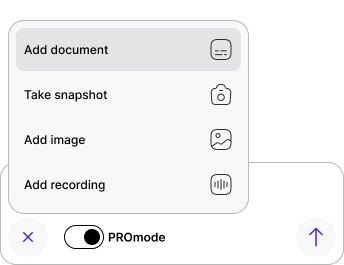
Upload an image or PDF, or paste one from your clipboard by
Studying takes hours? Make it minutes.
Use our powerful tools to transform how you learn to make the studying process easy and comfortable.
Snap
& Solve
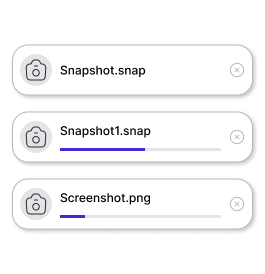
Upload a photo or screenshot. Get step-by-step reasoning to truly understand the logic.
Lecture
Summaries
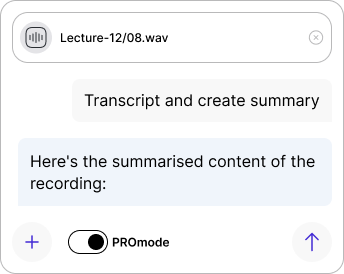
No time for 2-hour recordings? Upload audio/video files and get key takeaways instantly.
Chat with
PDF
Turn your textbooks into answers. The AI reads for you and answers any question based on the text.
Study smarter, not longer.
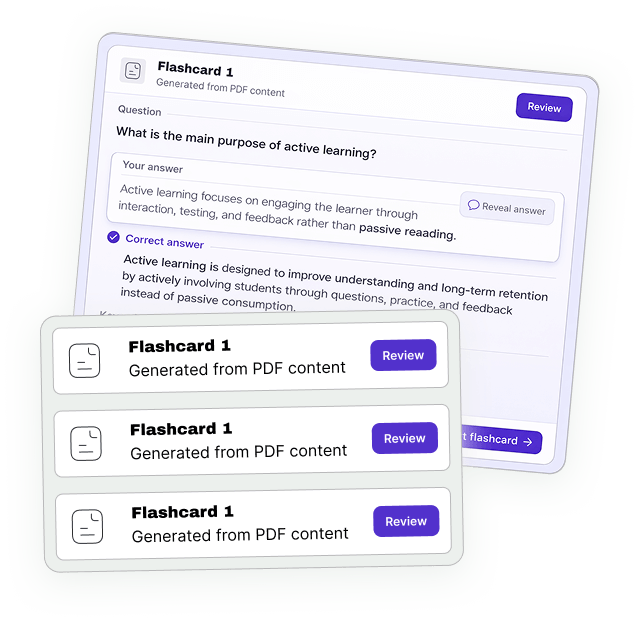
Turn any material into Smart Flashcards and AI Quizzes. Test yourself before the professor does.
- Auto-generate flashcards from any content
- Adaptive quizzes that focus on weak areas
- Spaced repetition for long-term retention
It’s Learning, Not Cheating.
Using EduBoost AI is like working with a personal tutor. We don’t just give you “A” or “B”. We explain why it’s the right answer, breaking down every step to help you master the subject.
reasoning
Every answer comes
with detailed explanations
& sources
Verified information
you can trust
on understanding
Not just grades —
real comprehension
Who is it for?
Understand topics and practice
typical problems.
Drafts, calculations, code reviews,
and more.
Quick refreshers
and helpful examples.
Students get better
results with less stress
Learning made easier, faster, and clearer —
trusted by students worldwide.
Clear explanations
help students improve
their grades within weeks
Faster study workflow
saves hours during
busy periods
Finally understood Calculus thanks to clear step-by-step logic.
I reviewed entire lectures in a fraction of the time. Huge help before exams.
This is the first tool that actually teaches, not just gives answers.
AI Web Development Helper for Coding, Projects, and Learning
Web development can feel challenging because students need to understand design, HTML, CSS, JavaScript, frameworks, layout, debugging, and user experience all at once. A small issue in code can affect how a page looks or works, which can make projects frustrating. An AI web development helper makes that easier by giving learners quick support, clearer explanations, and practical guidance while they build.
Instead of acting like a simple website generator, an AI web development tutor can help students understand how web pages work, why errors happen, and how to improve their coding process. Whether you are building your first page or working on a larger web project, AI can make web development easier to learn and practice.
What Is an AI Web Development Helper?
An AI web development helper is a study and coding tool designed to support learners with web development questions, assignments, projects, and debugging. It can explain concepts, review code, suggest structure, and help students understand how different parts of a website fit together.
This kind of tool is especially useful for students who need help with:
- HTML and CSS homework
- JavaScript questions
- responsive layout
- debugging website issues
- frontend project planning
- web design basics
- code explanations
- practice and portfolio projects
The goal is not only to create web code, but to help learners understand how to build better websites.
How AI Can Help With Web Development
AI can support web development students in several practical ways. Many learners struggle because web development combines visual design and programming logic. AI helps by breaking down problems and explaining how each part of a page works.
1. Explaining Web Development Concepts More Clearly
Web development lessons can feel confusing when students are learning markup, styling, scripting, and browser behavior at the same time. AI can explain those ideas in simpler language and connect them to examples.
This is especially useful for topics such as:
- HTML structure
- CSS selectors
- flexbox and grid
- responsive design
- JavaScript events
- basic frontend architecture
That makes AI useful as a tutor, not just a website builder.
2. Helping Students Debug Website Problems
Web projects often break in small but confusing ways. A layout may not align, a button may not work, or a style may not apply. AI can help students understand what might be wrong and how to approach the fix.
For example, AI can help with:
- CSS layout issues
- JavaScript errors
- HTML structure problems
- responsive design bugs
- unexpected page behavior
This helps students learn debugging skills instead of only patching problems.
3. Supporting Web Development Homework Faster
Web development assignments can take time because students often need to understand the instructions, plan the page, write code, test it, and revise the design. AI can help make that process more efficient.
It can support:
- breaking down project requirements
- planning page structure
- reviewing code organization
- checking layout logic
- improving readability and usability
That can make web development practice less overwhelming and more productive.
4. Helping With Projects and Portfolio Work
Web development improves when students build real projects. AI can help learners brainstorm project structure, review code, improve page sections, and understand how to make websites more usable and responsive.
This is especially useful for class projects, personal portfolio pages, and beginner frontend practice.
5. Building Confidence With Web Coding
Many learners feel unsure when a page does not look or behave the way they expected. AI can reduce that frustration by helping them reason through the problem and understand what each part of the code does.
As students improve their understanding, building websites becomes more comfortable and creative.
What an AI Web Development Tutor Can Help You Study
An AI web development helper can support many frontend and beginner web development topics.
- HTML basics
- CSS styling
- responsive web design
- flexbox and CSS grid
- JavaScript basics
- DOM interaction
- forms and buttons
- website layout planning
- debugging frontend code
- web development homework help
Because web development includes both code and design, AI can work well as an all-in-one web learning assistant.
Why Students Use an AI Web Development Helper
Students usually want web development support that is clear, practical, and easy to apply. AI tools are helpful because they can explain code, review layout issues, and support learners while they build projects independently.
Students use an AI web development helper because they want:
- clearer web coding explanations
- faster debugging support
- help with HTML, CSS, and JavaScript
- better project planning
- support with responsive design
- more confidence building websites
This makes AI especially useful for homework, beginner projects, and independent web development practice.
AI as a Tutor and Web Coding Partner
The best way to use AI for web development is as a tutor and coding partner. It should help students understand structure, styling, behavior, and debugging so they can improve their skills over time. It works best when learners use it to understand how websites are built rather than only generate code quickly.
When used well, AI can help students:
- learn web development more efficiently
- understand frontend code more clearly
- debug projects with more confidence
- build better layouts
- feel more prepared for web assignments
How it works
Enter or upload
Type your assignment or upload an image or PDF to our platform.
Get instant solution
Get a detailed step‑by‑step answer with study recommendations.
Customize the result
Discuss the solution with AI, ask questions, and get clarifications to understand details better.
Why Choose EduBoost?
